Search

Discover

All Articles


Modern ESP32 Environment Monitor Standalone Temp & Humidity
Internet of Things

Modern ESP32 Environment Monitor Standalone Temp & Humidity

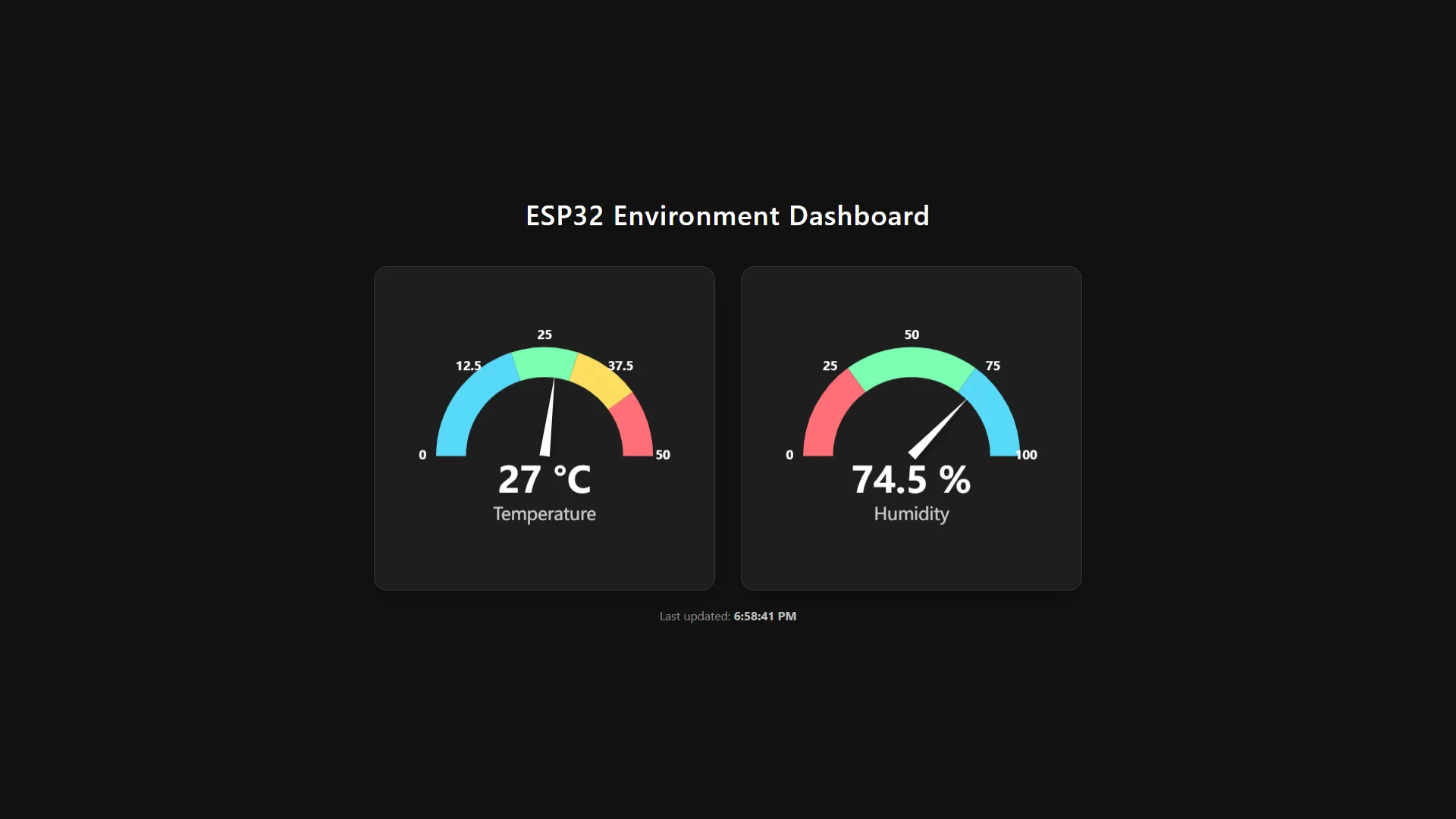
Things used in this project• Hardware componentsESP32DHT11 Temperature Humidity SensorMale/Female Jumper Wires• Software appsArduino IDEStoryA lot of standard microcontroller sensor projects end up displaying data as boring text strings or on very clunky web interfaces. I wanted to build an environment monitoring dashboard that is not only highly functional but also looks like a polished, production-grade digital product.This project is a standalone local web server running directly off an ESP32. It reads data from a DHT sensor (like a DHT11 or DHT22) and visualizes it using clean, modern Gauge Charts. To pull off this aesthetic, I integrated the Apache ECharts library via CDN directly into the HTML. The UI is built with a strict, eye-friendly Dark Mode and includes a real-time "last updated" timestamp.The best part? There is no external server or complicated cloud setup involved. The entire web page—HTML, CSS, and the charting JavaScript—is stored entirely in the ESP32's flash memory using PROGMEM (R"rawliteral(...)) inside a single .ino sketch file. The code is extremely lightweight and responsive. I even built a temporary dummy-data generator into the code so I could perfectly fine-tune the web UI/UX before wiring up the actual hardware sensor.If you need to monitor a bedroom, a server rack, or a greenhouse over your local Wi-Fi, this project gives you an incredibly professional-looking dashboard right out of the box!Schematicsesp32_dht11_wiring.pngCodeesp32_environment_monitor.ino#include <WiFi.h> #include <WebServer.h> // #include "DHT.h" // --- WIFI CONFIGURATION --- const char* ssid = "***"; const char* password = "***"; // --- DHT SENSOR CONFIGURATION (TEMPORARILY DISABLED - USING DUMMY DATA) --- // Adjust to the pin you are using // #define DHTPIN 4 // Choose DHT type: DHT11, DHT22, or DHT21 // #define DHTTYPE DHT11 // DHT dht(DHTPIN, DHTTYPE); WebServer server(80); // --- MAIN HTML PAGE --- // Web UI will be served directly from ESP32 memory. // Using ECharts library via CDN to create a modern and attractive Gauge Chart. const char index_html[] PROGMEM = R"rawliteral( <!DOCTYPE html> <html lang="en"> <head> <meta charset="UTF-8"> <meta name="viewport" content="width=device-width, initial-scale=1.0"> <title>ESP32 Local Monitoring</title> <!-- ECharts CDN --> <script src="https://cdn.jsdelivr.net/npm/echarts@5.5.0/dist/echarts.min.js"></script> <style> * { box-sizing: border-box; margin: 0; padding: 0; } body { font-family: 'Segoe UI', Tahoma, Geneva, Verdana, sans-serif; background-color: #121212; /* Dark Mode */ color: #ffffff; display: flex; flex-direction: column; align-items: center; justify-content: center; min-height: 100vh; padding: 20px; } h1 { font-weight: 600; margin-bottom: 40px; text-align: center; letter-spacing: 1px; text-shadow: 0 2px 4px rgba(0,0,0,0.5); } .dashboard { display: flex; flex-wrap: wrap; gap: 30px; justify-content: center; width: 100%; max-width: 900px; } .card { background: #1e1e1e; border-radius: 16px; box-shadow: 0 10px 20px rgba(0,0,0,0.3); padding: 30px; width: 100%; max-width: 400px; height: 380px; display: flex; flex-direction: column; align-items: center; border: 1px solid #333; transition: transform 0.3s ease, box-shadow 0.3s ease; } .card:hover { transform: translateY(-5px); box-shadow: 0 15px 30px rgba(0,0,0,0.5); } .gauge-container { width: 100%; height: 100%; } .status { margin-top: 20px; font-size: 14px; color: #888; } #last-update { font-weight: bold; color: #bbb; } </style> </head> <body> <h1>ESP32 Environment Dashboard</h1> <div class="dashboard"> <!-- Temperature Card --> <div class="card"> <div id="tempGauge" class="gauge-container"></div> </div> <!-- Humidity Card --> <div class="card"> <div id="humGauge" class="gauge-container"></div> </div> </div> <div class="status"> Last updated: <span id="last-update">-</span> </div> <script> // ECharts Gauge configuration imitating the "Half - Needle" style from reference function createGaugeOption(name, min, max, unit, colors) { return { series: [ { type: 'gauge', center: ['50%', '60%'], // Move it down slightly radius: '80%', // Adjust so numbers outside aren't cut off startAngle: 180, endAngle: 0, min: min, max: max, splitNumber: 4, itemStyle: { color: '#ffffff', // Needle color shadowColor: 'rgba(0,0,0,0.4)', shadowBlur: 10, shadowOffsetX: 2, shadowOffsetY: 2 }, progress: { show: false // Zone background is handled by axisLine }, pointer: { show: true, icon: 'path://M12.8,0.7l12,40.1H0.7L12.8,0.7z', length: '75%', width: 12, offsetCenter: [0, '0%'] // Place needle base right at the center point }, axisLine: { lineStyle: { width: 35, color: colors // Zone colors } }, axisTick: { show: false }, splitLine: { show: true, length: 35, lineStyle: { color: '#1e1e1e', width: 4 } // Black/dark separator lines }, axisLabel: { distance: -65, // Larger negative value so it is completely OUTSIDE (above) the color band color: '#fff', fontSize: 14, fontWeight: 'bold' }, title: { show: true, offsetCenter: [0, '55%'], // 'Temperature' text moved far down fontSize: 20, color: '#ccc' }, detail: { valueAnimation: true, fontSize: 42, fontWeight: 'bold', color: '#fff', offsetCenter: [0, '25%'], // '25 °C' text moved below the needle pivot point formatter: '{value}' + unit }, data: [{ value: 0, name: name }] } ] }; } var tempChart = echarts.init(document.getElementById('tempGauge')); var humChart = echarts.init(document.getElementById('humGauge')); // Temperature Color Zones: Green -> Yellow -> Red var tempColors = [ [0.4, '#58D9F9'], // 0 - 20C (Blue - Cold) [0.6, '#7CFFB2'], // 20 - 30C (Green - Cool) [0.8, '#FDDD60'], // 30 - 40C (Yellow - Warm) [1.0, '#FF6E76'] // 40 - 50C (Red - Hot) ]; // Humidity Color Zones: Red (Dry) -> Green (Normal) -> Blue (Very Humid) var humColors = [ [0.3, '#FF6E76'], // 0 - 30% (Dry) [0.7, '#7CFFB2'], // 30 - 70% (Comfortable) [1.0, '#58D9F9'] // 70 - 100% (Too Humid) ]; tempChart.setOption(createGaugeOption('Temperature', 0, 50, ' °C', tempColors)); humChart.setOption(createGaugeOption('Humidity', 0, 100, ' %', humColors)); function fetchData() { fetch('/data') .then(response => response.json()) .then(data => { tempChart.setOption({ series: [{ data: [{ value: data.temperature, name: 'Temperature' }] }] }); humChart.setOption({ series: [{ data: [{ value: data.humidity, name: 'Humidity' }] }] }); // Update clock const now = new Date(); document.getElementById('last-update').innerText = now.toLocaleTimeString(); }) .catch(error => console.error('Failed to fetch data from ESP32:', error)); } // Fetch initial data, then repeat every 3 seconds fetchData(); setInterval(fetchData, 3000); // Responsive handling window.addEventListener('resize', function() { tempChart.resize(); humChart.resize(); }); </script> </body> </html> )rawliteral"; void handleRoot() { server.send(200, "text/html", index_html); } void handleData() { // --- USING DUMMY DATA --- // Generate random values for simulation float h = random(40, 80) + (random(0, 10) / 10.0); // Dummy humidity 40.0 - 80.9 float t = random(25, 35) + (random(0, 10) / 10.0); // Dummy temperature 25.0 - 35.9 // Original sensor code disabled /* float h = dht.readHumidity(); float t = dht.readTemperature(); if (isnan(h) || isnan(t)) { Serial.println("Failed to read from DHT sensor!"); h = 0; t = 0; } */ // Create JSON string manually String json = "{"; json += "\"temperature\":"; json += String(t, 1); // 1 decimal place json += ", \"humidity\":"; json += String(h, 1); json += "}"; // To allow access from local HTML files during testing server.sendHeader("Access-Control-Allow-Origin", "*"); server.send(200, "application/json", json); } void setup() { Serial.begin(115200); // Initialize DHT sensor (Disabled) // dht.begin(); // Start WiFi connection WiFi.begin(ssid, password); Serial.print("Connecting to WiFi"); // Wait for connection while (WiFi.status() != WL_CONNECTED) { delay(500); Serial.print("."); } Serial.println("\n"); Serial.println("=== WiFi Connected ==="); Serial.print("ESP32 IP Address: "); Serial.println(WiFi.localIP()); Serial.println("Open this IP Address in your browser!"); Serial.println("======================"); // Endpoint Routing server.on("/", HTTP_GET, handleRoot); server.on("/data", HTTP_GET, handleData); // Start the server server.begin(); } void loop() { // Handle HTTP request server.handleClient(); // Avoid using long delay() in the loop // so server.handleClient() is not blocked. }How do you use it?1. Enter your WiFi credentials (ssid and password) into the code.2. Upload the code to your ESP32 using the Arduino IDE. Open the Serial Monitor (115200 baud rate) to get the ESP32's local IP Address.3. Open that IP address in any browser on a phone or PC connected to the same WiFi network.How to Enable the Real DHT Sensor (Currently using dummy data):To allow you to test the Web UI without any hardware connected, this code generates dummy data. Once you have wired up your DHT sensor (DHT11/DHT22), follow these steps:1. Make sure you have installed the "DHT sensor library" and "Adafruit Unified Sensor" via the Arduino Library Manager.2. At the top of the code, uncomment the following lines: #include "DHT.h", #define DHTPIN, #define DHTTYPE, and DHT dht(DHTPIN, DHTTYPE);.3. Inside void setup(), uncomment dht.begin();.4. Inside void handleData(), comment out the dummy data generation by adding // to the h and t variables using random(), then uncomment the actual sensor reading block (dht.readHumidity() and dht.readTemperature()).

Fiqra Putra Lesmana
Fiqra Putra Lesmana

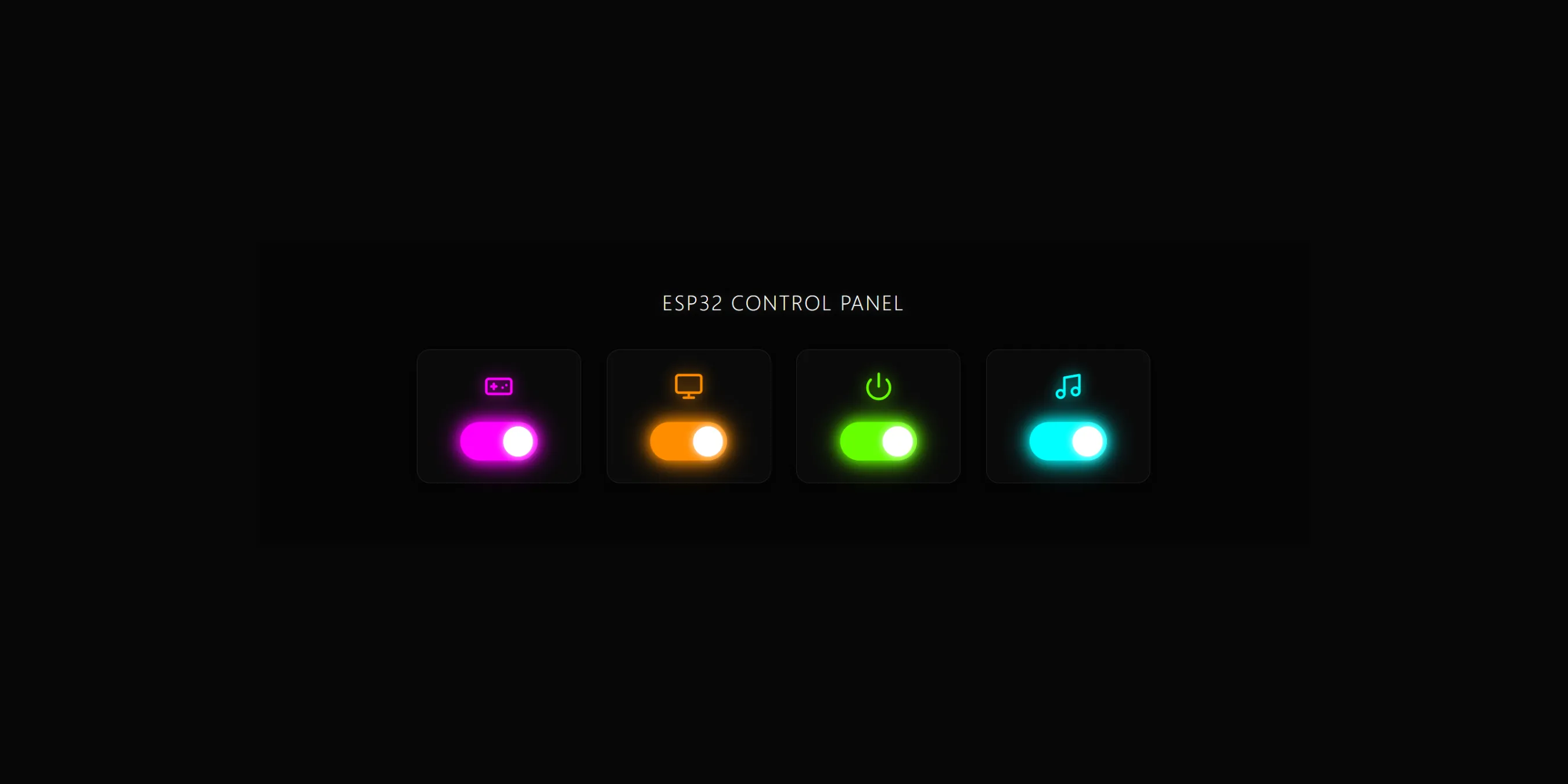
NeonGlow Standalone ESP32 Web-Based Smart Control Panel
Internet of Things

NeonGlow Standalone ESP32 Web-Based Smart Control Panel

Things used in this project

Fiqra Putra Lesmana
Fiqra Putra Lesmana

Categories


Tags